
Web Server UI
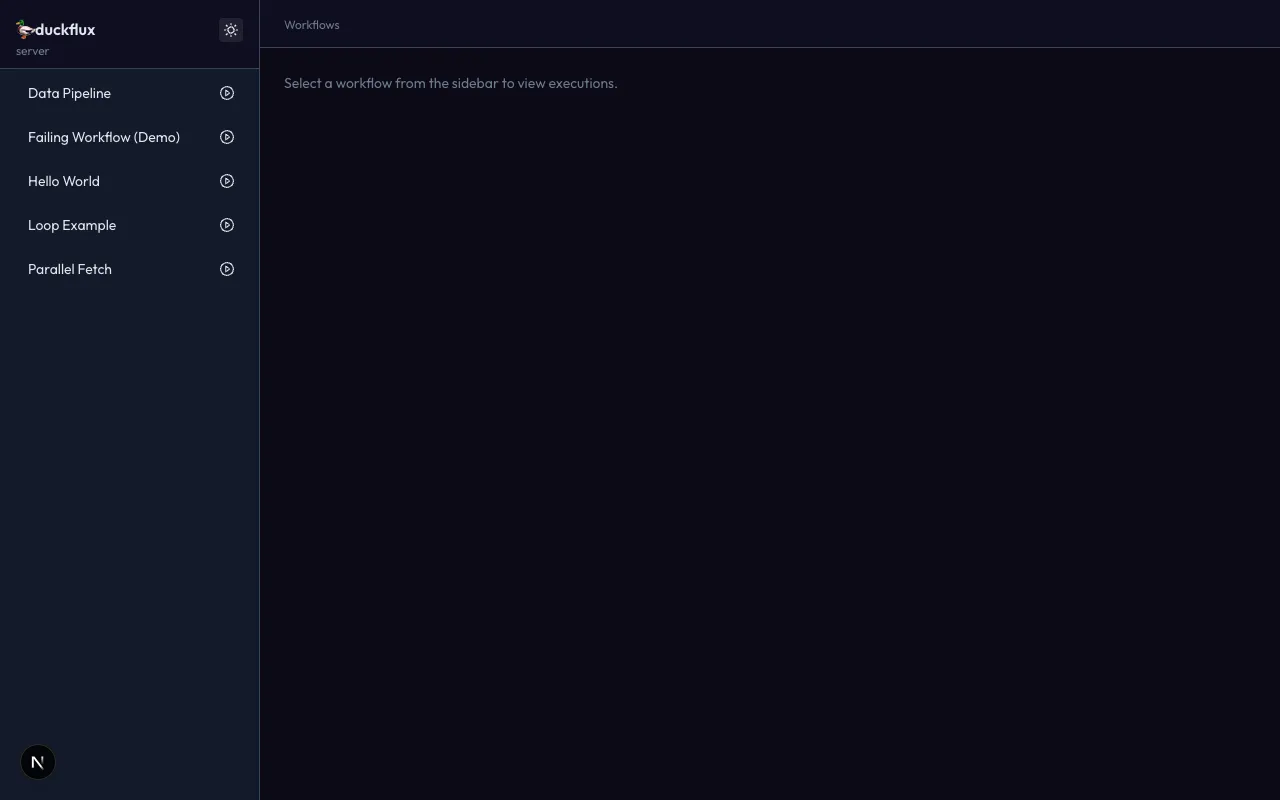
The quack server is a local web UI for running and inspecting workflows — think GitHub Actions, but for your duckflux flows. It ships as the @duckflux/server package and is launched via the quack server CLI command.
Quick start
Section titled “Quick start”# 1. Make sure you have trace output enabledquack server --trace-dir ./traces --workflow-dir ./workflows
# 2. Open the UI# → http://localhost:3000The server scans --workflow-dir for .yaml / .yml files and watches --trace-dir for trace JSON files. New traces appear in the UI in real time via Server-Sent Events.
CLI flags
Section titled “CLI flags”| Flag | Type | Default | Description |
|---|---|---|---|
--trace-dir | string | — | Required. Directory to watch for execution trace JSON files. Created automatically if it doesn’t exist. |
--workflow-dir | string | cwd | Directory to scan for workflow files (recursive). |
--port | string | 3000 | HTTP port for the web UI. |
Features
Section titled “Features”Workflow sidebar
Section titled “Workflow sidebar”The left sidebar lists all discovered workflows, sorted alphabetically. Each entry shows the workflow name (or relative file path if unnamed) and a play button for quick execution.
Clicking a workflow navigates to its detail page showing execution history.
Workflow detail and execution history
Section titled “Workflow detail and execution history”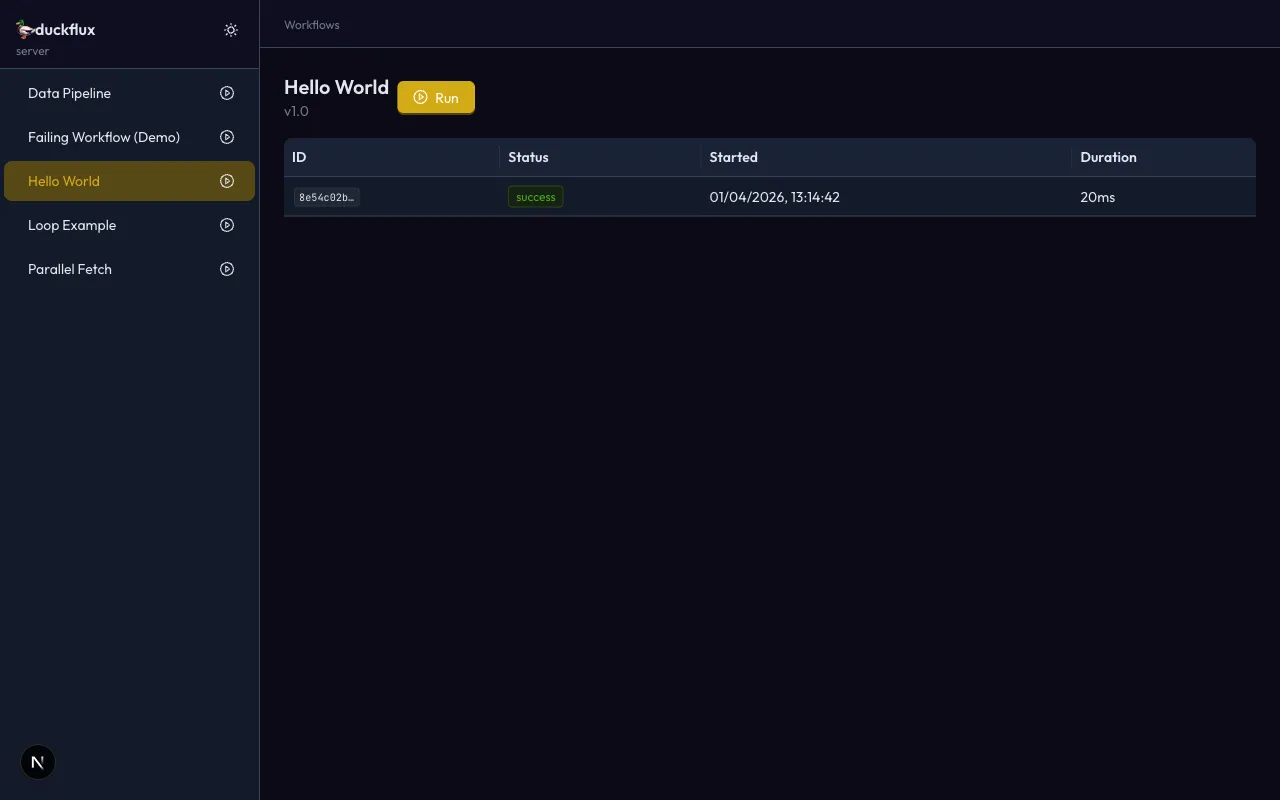
The detail page shows:
- Workflow name and version
- A Run button that opens the execute modal
- A table of past executions with ID, status badge, start time, and duration
- Click any row to drill into the trace viewer
Execute modal
Section titled “Execute modal”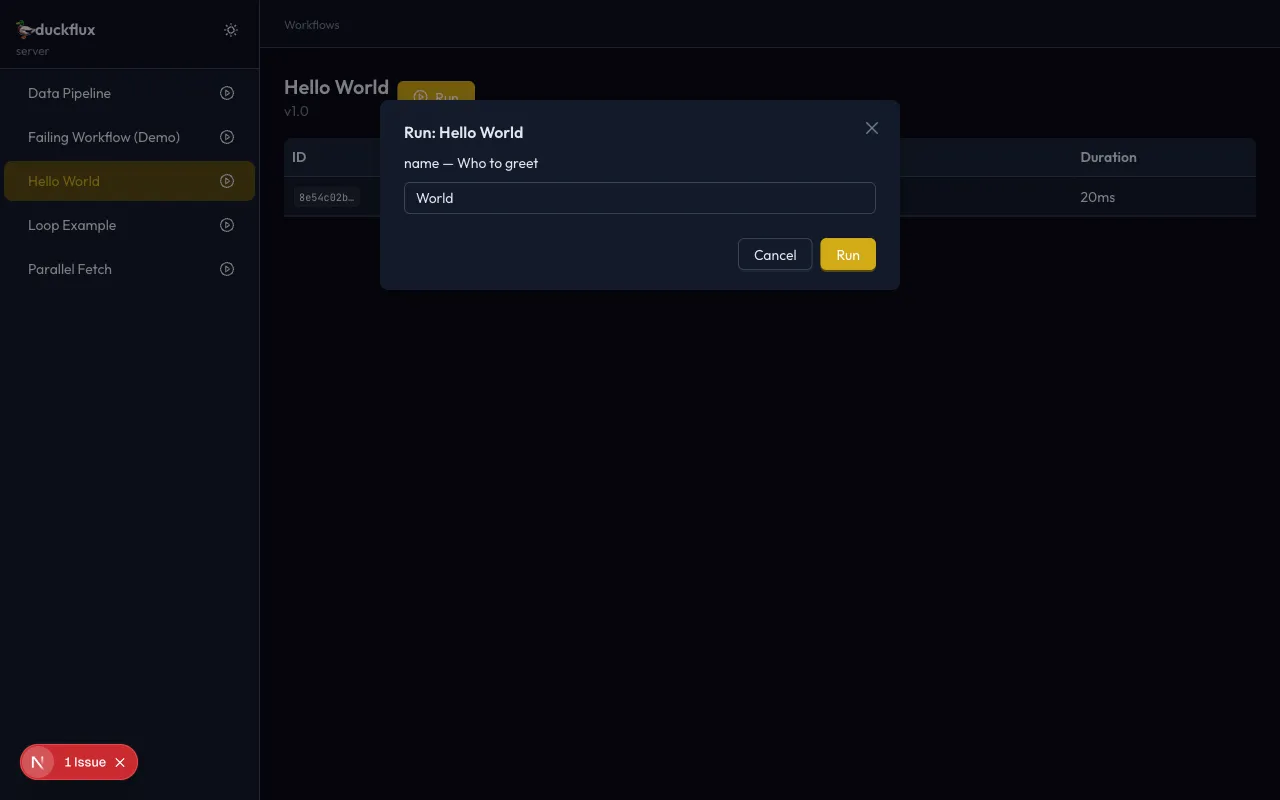
Clicking Run on any workflow opens a modal with a dynamically generated form based on the workflow’s inputs schema:
| Input type | Form control |
|---|---|
string | Text input |
number / integer | Number input (with min / max from schema) |
boolean | Toggle switch |
enum | Dropdown select |
Default values from the schema are pre-filled. The workflow is executed server-side and the result appears in the execution table once the trace file is written.
Trace viewer
Section titled “Trace viewer”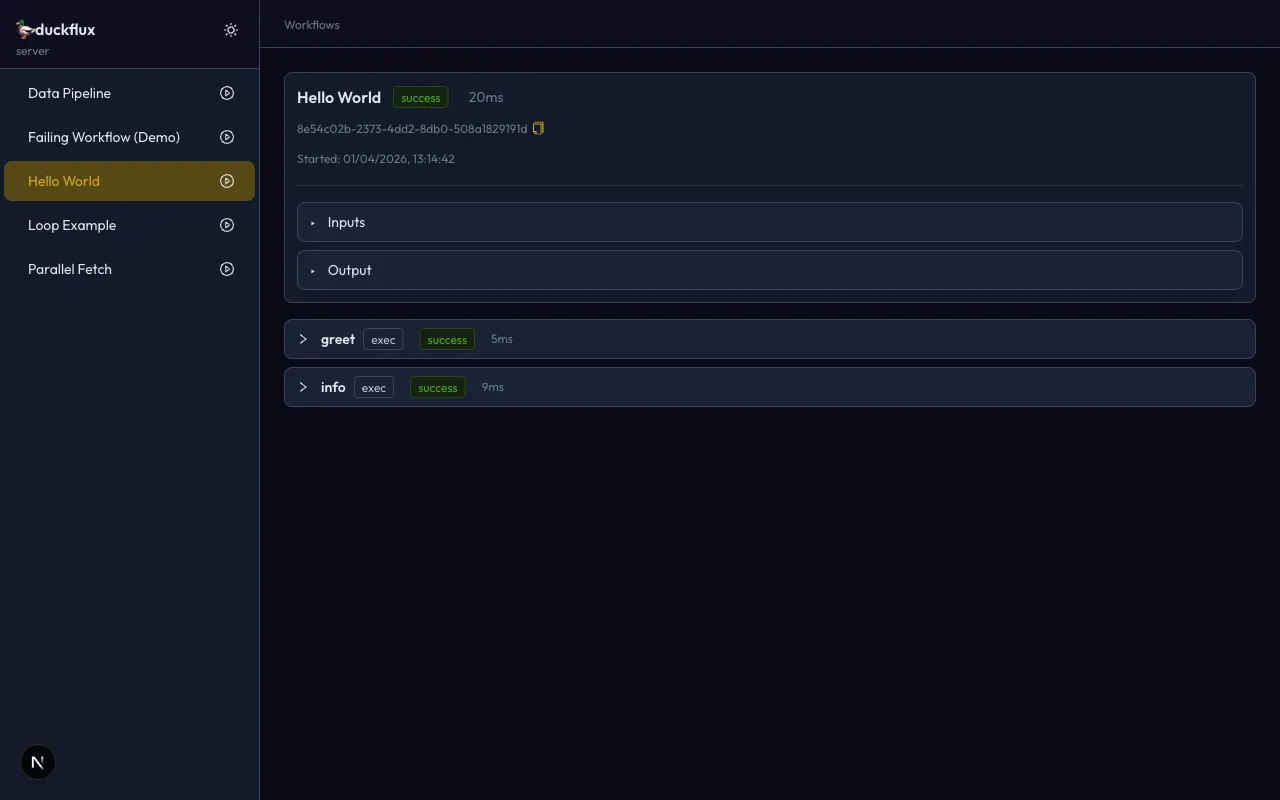
The trace viewer provides a GitHub Actions-style breakdown of a single execution:
- Execution header — workflow name, status badge (success / failure / running), total duration, execution ID with copy button, and start timestamp
- Inputs / Output — collapsible JSON viewers for the execution-level inputs and final output
- Step panels — one collapsible panel per step, showing:
- Step name, participant type, status badge, and duration
- Loop index and retry count (when applicable)
- Error message (for failed steps)
- Collapsible Input / Output JSON viewers per step
Real-time updates
Section titled “Real-time updates”The server uses Server-Sent Events (SSE) to push updates to the browser:
- A chokidar file watcher monitors
--trace-dirfor*.jsonchanges - New or updated trace files trigger SSE events (
trace:new,trace:updated) - The browser receives events and refreshes the relevant data via SWR
This means you can run workflows from the CLI in one terminal and watch them appear in the UI instantly.
Dark / light mode
Section titled “Dark / light mode”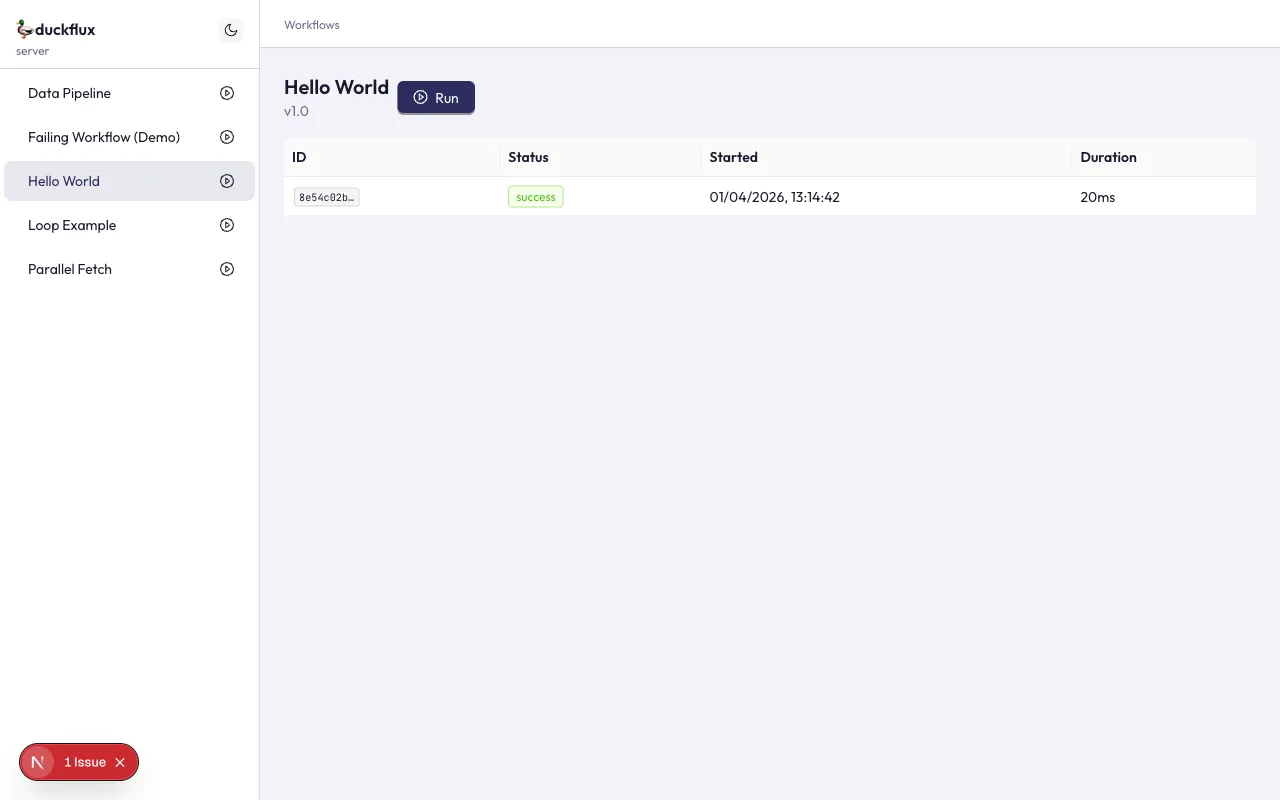
The UI ships with both dark and light themes following the duckflux brand identity. Toggle between them using the sun/moon button in the sidebar header. The preference is saved to localStorage and respects your system’s prefers-color-scheme setting on first visit.
Architecture
Section titled “Architecture”The server runs as a single Next.js process — the API routes and the UI are served from the same port. No separate API server or proxy configuration needed.
┌─────────────────────────────────────┐│ Next.js (port 3000) ││ ││ ┌──────────┐ ┌───────────────┐ ││ │ React │ │ API Routes │ ││ │ UI │ ←→ │ /api/* │ ││ │ (antd 5) │ │ (SSE, REST) │ ││ └──────────┘ └───────┬───────┘ ││ │ ││ ┌──────┴───────┐ ││ │ chokidar │ ││ │ watcher │ ││ └──────┬───────┘ │└──────────────────────────┼──────────┘ │ ┌──────┴───────┐ │ trace-dir/ │ │ *.json │ └──────────────┘API endpoints
Section titled “API endpoints”| Method | Path | Description |
|---|---|---|
GET | /api/workflows | List all discovered workflows |
GET | /api/workflows/:id | Get a single workflow’s metadata |
GET | /api/executions | List all executions (optional ?workflowId= filter) |
GET | /api/executions/:id | Get a single execution trace |
POST | /api/execute | Execute a workflow (fire-and-forget) |
GET | /api/events | SSE stream of trace events |
Tech stack
Section titled “Tech stack”| Layer | Technology |
|---|---|
| UI framework | Next.js 15 (App Router) |
| Component library | Ant Design 5 |
| Data fetching | SWR |
| File watching | chokidar 4 |
| Workflow engine | @duckflux/core |
Package details
Section titled “Package details”- npm package:
@duckflux/server - Binary:
duckflux-server - Minimum runtime: Bun 1.x or Node.js 20+
The package is auto-installed by quack server when not present in the project. You can also install it manually:
bun add @duckflux/server -D# ornpm install @duckflux/server --save-dev